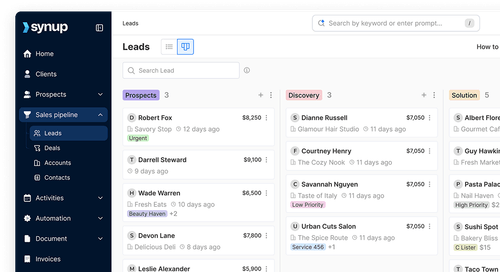
Reviews are a vital component of your online reputation, serving as social proof that influences potential customers and helps you climb search rankings. Whether you’re using email or SMS, both channels offer unique advantages for engaging with your customers and boosting your review collection efforts.
In this guide, we cover everything you need to know—from crafting personalized messages and optimizing timing to automating your review requests and measuring success.

Why Reviews Matter
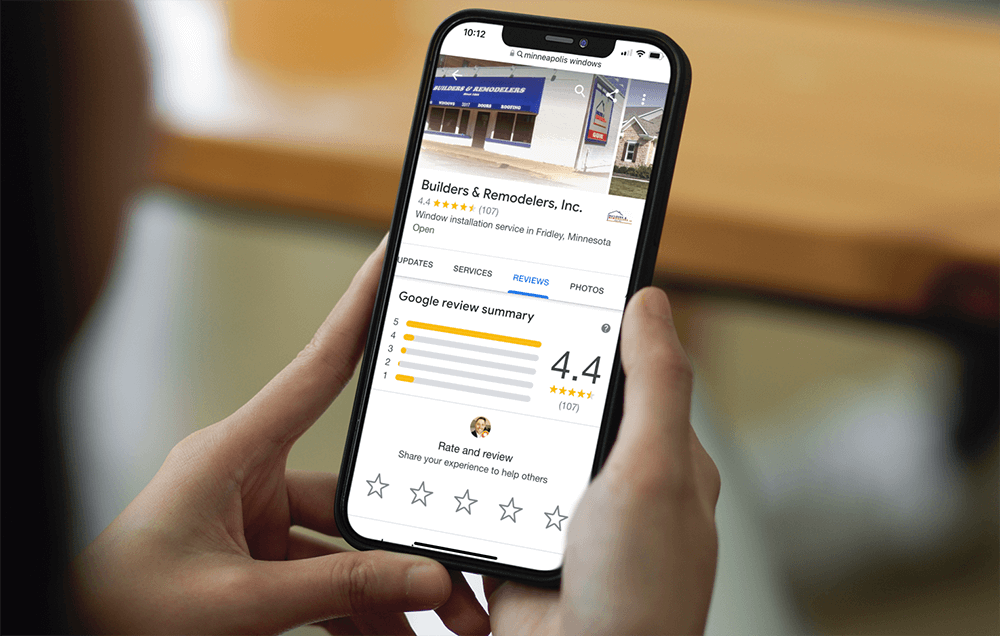
Think about the last time you tried a new restaurant or bought a product online. Chances are, you checked out the reviews first, right? You’re not alone. A whopping 91% of consumers read online reviews before making a purchase, and 84% trust them as much as personal recommendations. That’s huge!
But reviews do more than just influence potential customers. They’re also SEO goldmines. Review signals make up about 15% of Google’s local pack ranking factors, according to a study by Moz. That means more reviews can help you climb those search rankings and get more eyes on your business.
Plus, reviews give you a direct line to what your customers are thinking. It’s like having a constant focus group at your fingertips, helping you improve your products or services.
Requesting Reviews via Email
Email offers a direct and personal way to request reviews, making it easier for you to connect with your customers.
Key Strategies and Best Practices
Personalization is Key: Use the customer’s name and reference details about their recent purchase or service. This level of specificity shows that you value their business and increases engagement. Consider segmenting your email list based on customer behavior or preferences to further tailor your message.
Timing Matters: Send your email 1–3 days after a product purchase or service completion. The timing should reflect the nature of your business. For example, a restaurant might send a request the same day, while a seller of a complex product might wait a week or two. Test different timings to determine what works best for your audience.
Choosing the Right Tone: Whether your brand voice is formal and professional or casual and friendly, maintain consistency. Regardless of tone, your email should always be respectful, grateful, clear, and helpful. Include instructions on how to leave a review and ideally keep the email under 50 words.
Minimizing Effort for Your Customers
Reduce barriers by including a clear, prominent button or direct link that takes customers directly to your review page. For mobile users, QR codes are highly effective. Always test your links and QR codes before sending your emails.
Email Review Request Templates
Here are three template examples for different scenarios:
Template 1: Post-Purchase Review Request
Subject: How are you enjoying your [Product Name]?
Dear [Customer Name],
Thank you for your recent purchase of [Product Name] from [Your Company]. We hope it’s meeting (or exceeding!) your expectations. Your opinion matters to us and helps other customers make informed decisions. Would you take a moment to share your thoughts on Google?
[Leave a Review] button
Thank you for your support!
Best regards,
[Your Name]
[Your Company]
Template 2: Service Follow-Up Review Request
Subject: How did we do? Share your experience!
Hello [Customer Name],
We hope you were satisfied with the [service provided] by our team on [date]. Your feedback helps us maintain high standards and assists other potential customers. Could you spare a moment to leave us a review on Google?
[Leave a Review] button
Thank you for choosing [Your Company].
Warm regards,
[Your Name]
[Your Company]
Template 3: Gentle Reminder Email
Subject: A quick reminder: We’d love your feedback
Hi [Customer Name],
We noticed you haven’t had a chance to review your recent experience with [Your Company]. Your feedback is very important to us. If you have a moment, please leave us a quick review on Google.
[Leave a Review] button
If you’ve already left a review, thank you so much! Please disregard this reminder.
Best wishes,
[Your Name]
[Your Company]
Enhancing Your Email Request
- Visual Elements: Incorporate graphics such as star ratings, emojis, product images, and brand colors to capture attention.
- Social Proof: Showcase positive customer testimonials to encourage new reviews.
- Multiple Platforms: Offer links to various review platforms like Google, Facebook, Yelp, and TripAdvisor.
- Incentivize (With Caution): Consider offering incentives like prize draws, discounts, or loyalty points—but always include a disclaimer that the incentive is for leaving an honest review, regardless of its nature.
Requesting Reviews via SMS
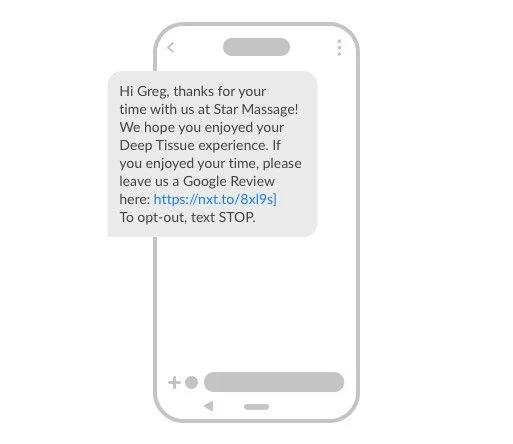
Simply put, an SMS review request is a text message you send to a customer after they’ve interacted with your business, asking them to share their experience. It’s like a gentle nudge saying, “Hey, we’d love to hear what you think!”
A typical SMS review request might look something like this:
“Hi Sarah! Thanks for dining at Joe’s Pizza last night. We’d love to hear about your experience. Could you take a moment to leave us a quick review? Here’s the link: [Review Link]. Your feedback means the world to us!”
Playing by the Rules: Legal Stuff You Need to Know
Before you start firing off texts left and right, let’s talk about the legal side of things. Yes, it’s not the most exciting part, but trust me—you’ll want to pay attention here.
First up, there’s the Telephone Consumer Protection Act (TCPA) in the US. The gist? You need to get explicit consent from customers before sending them marketing messages via SMS. And yes, review requests count as marketing messages.
If you’re dealing with customers in the EU, you’ll need to keep the General Data Protection Regulation (GDPR) in mind. This means being crystal clear about what you’re using their data for and giving them the option to opt-out at any time.
And don’t forget about platform-specific policies. Google, Yelp, and other review sites have their own rules about soliciting reviews. Make sure you’re familiar with these to avoid any potential penalties.
The key takeaways? Always get consent, provide clear opt-out instructions, and keep records of who’s agreed to receive your messages. It might seem like a hassle, but it’s way better than dealing with legal troubles down the line.
Crafting the Perfect SMS Review Request
Timing is Everything: Send your message too early, and customers might not have had enough time to form an opinion. Too late, and the experience might not be fresh in their minds anymore.
For products, try sending your request a few days after the estimated delivery date. If you’re in the service industry, strike while the iron is hot! Send your request right after the service is completed. Adjust your timing for products that take time to show results or services that unfold over time.
And here’s a pro tip: avoid sending messages at odd hours. Even if your business operates 24/7, your customers probably don’t want to be pinged about a review at 3 AM!
Crafting Your Message: Short, Sweet, and Effective
When it comes to SMS review requests, you’ve got to make every character count. Here’s how to nail it:
- Use the customer’s name and mention specific details about their purchase or experience.
- Be direct. “Could you leave us a quick review?” is clear and effective.
- Aim to keep your entire message under 160 characters to ensure it’s delivered as a single text.
- Express gratitude for their business and for taking the time to leave a review.
- Briefly mention why their review is important.
Here’s an example putting it all together:
“Hi John! Thanks for your recent oil change at QuickLube. We’d love your feedback! Could you take a moment to leave a quick review? [LINK] It really helps us improve. Thanks!”
SMS Review Request Templates
The Simple and Sweet: “Hi [Name], thanks for choosing [Business]! We’d love your feedback. Could you take a moment to leave us a quick review? [Link] Thanks a bunch!”
The Personal Touch: “Hey [Name], hope you’re loving your new [Product] from [Business]! We’d love to hear your thoughts. Mind sharing a quick review? [Link] Your feedback helps us and other customers. Thanks!”
The Gentle Reminder: “Hi [Name], hope your week’s going great! We noticed you haven’t had a chance to review your recent experience with [Business]. Your feedback means a lot to us. Got a moment to share your thoughts? [Link] Thanks!”
The Appreciation Follow-Up: “Hello [Name], thanks for being an awesome customer of [Business]! We’re grateful for your support and would love if you could share your experience with others. A quick review would make our day: [Link] Thanks for your time!”
Make It Easy as Pie
Want to know the secret to getting more reviews? Make it ridiculously easy for your customers. Here’s how:
- Include a direct link to your preferred review platform. Use a URL shortener to keep things tidy.
- If there are multiple steps, consider breaking them down into a separate message or linking to a page with clear instructions.
- Give them a heads-up about the platform. For example: “Just tap the link and click the ‘Write a Review’ button under our business name.”
- Let them know they can reach out if they have any trouble. A simple “Having trouble? Just reply to this message and we’ll help!” can go a long way.
To Incentivize or Not to Incentivize?
While it might seem like a good idea to offer a discount in exchange for a review, tread carefully here. Many review platforms, including Yelp and Google, have strict policies against incentivized reviews.
Instead of direct incentives, consider running a general campaign. Something like “We’re donating $1 to charity for every customer review we receive this month” can encourage participation without breaking any rules.
If you do decide to offer any kind of incentive, make sure it’s offered for all reviews (not just positive ones), clearly disclosed in your request, and in line with the policies of your chosen review platform.
Automating SMS Review Requests
Alright, so you’re sold on the power of SMS review requests. But you’re probably thinking, “I don’t have time to send individual texts to every customer!” Don’t worry—that’s where automation comes in.
Choosing a Tool for Request Reviews
First things first, you’ll need to choose a platform to help you automate your SMS and email review requests. When you’re choosing your platform, think about:
- How well it plays with your existing systems (like your CRM or POS)
- The pricing structure (some charge per message, per location, others have monthly subscriptions)
- How easy it is to use
- What kind of support they offer
- Analytics and reporting capabilities
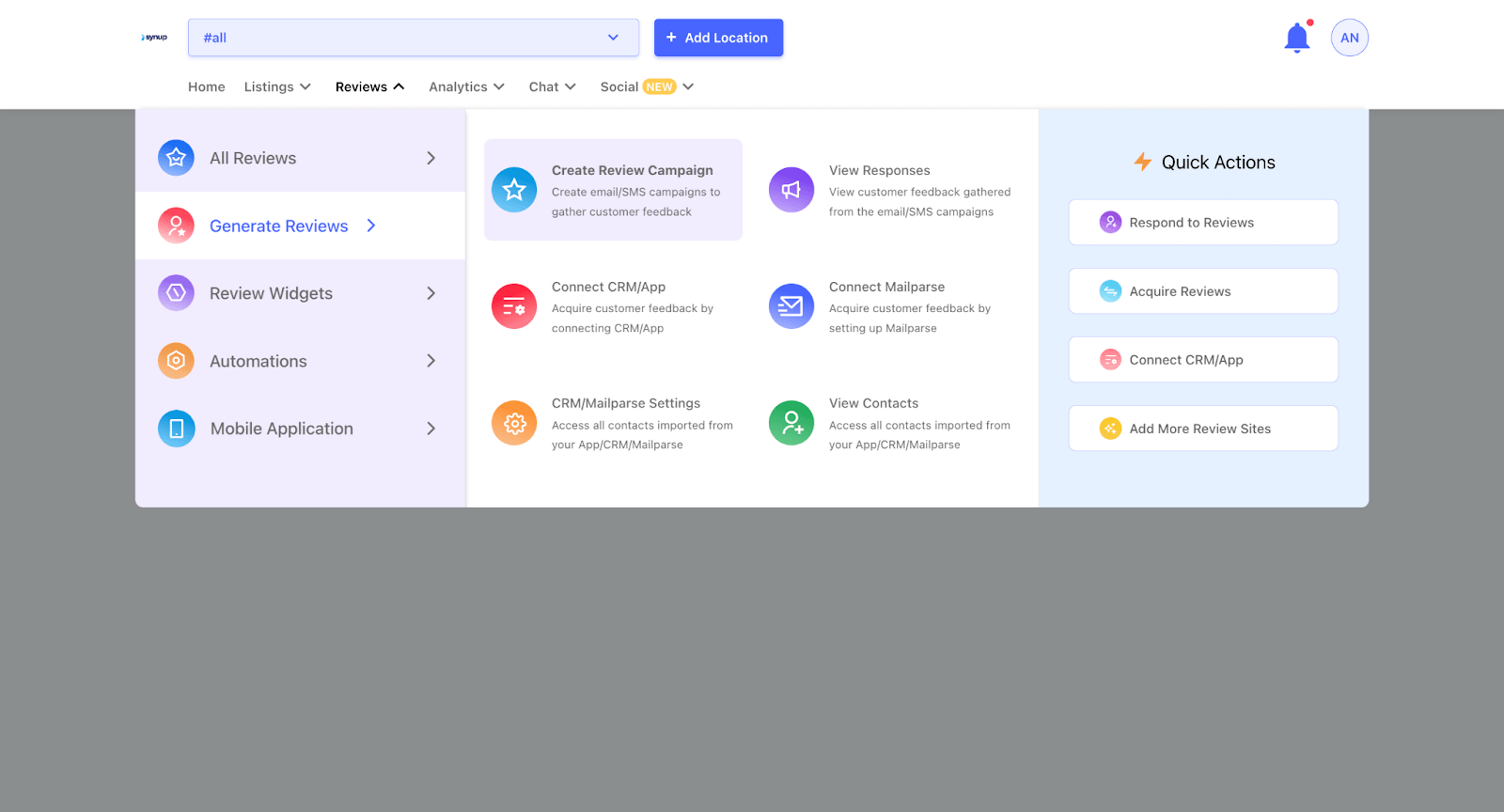
Automation saves time and ensures consistency. Tools like Synup can integrate with your CRM or POS system to send automated email and SMS campaigns. Regular testing and refinement based on metrics like unsubscribe rates, open rates, click-through rates, and submission rates are crucial to optimizing your approach.
Setting Up Automation Triggers
Once you’ve chosen your platform, it’s time to set up your automation triggers. These are the events that will automatically send out your review requests.
- Identify the key moments in your customer journey that would be good times to ask for a review.
- Figure out how your chosen SMS or email platform can connect with your data source (like your CRM or POS system).
- Set up rules for when messages and emails should be sent (like 3 days after a purchase date).
- Create message and email templates for each type of trigger.
- Test, test, and test again before going live!
Synup Can Help You Request Reviews on Auto-Pilot
Synup is a reputation management platform that can connect with your CRM or POS system directly. Each time you get a new customer, Synup sends them automated SMS campaigns for requesting reviews. Some tools also help you build custom landing pages to request reviews, making the process seamless for your customers.

Next Steps
Once you have your SMS and email review campaigns live, it’s good to take a peek at a few things:
- Are there common themes in the reviews, good or bad? Maybe everyone loves your customer service but thinks your prices are too high.
- Which products or services are getting the most love? This could inform your marketing or product development strategies.
- Don’t shy away from criticism. Use it as an opportunity to improve and show customers you’re listening.
- Are certain types of customers more likely to leave positive reviews? This could help you refine your targeting.
This will help you get the best squeeze out of your SMS and email review request campaigns. Coupled with automation, you’ll be on your way to getting some solid 5-star reviews.
Remember, the most valuable reviews are those given freely by happy customers. Focus on providing an exceptional experience, and positive reviews will follow naturally.