A suspended Google Business Profile (GBP) can feel like a brick wall between your client and their customers. And, if you’re the end customer, it just gets to you. It’s also a frustrating situation for agency owners, especially those managing multiple profiles, who cannot afford to ignore it. A suspended GBP can impact your client’s visibility, hurt their reputation, and create unnecessary headaches for your agency or your small business.
In this guide, we’ll look into why suspensions happen, the steps you can take to resolve them, and how to prevent future issues. Whether you’re handling one suspension or many, this can act as your go-to resource for handling suspension issues, both big and small.
What Are GBP Suspensions and Why Do They Happen?
A Google Business Profile (GBP) suspension happens when Google either restricts or removes a business profile from showing up in search results or on Google Maps. It usually means Google has flagged the profile for breaking its rules or has noticed something suspicious. Google does this to protect users from wrong or misleading information.
For businesses, this can be a huge problem. It makes it harder for them to get found online and can even hurt their revenue. For agency owners, it’s more than just fixing a single issue—it’s about showing your clients that they can trust you as the expert here and rely on you.
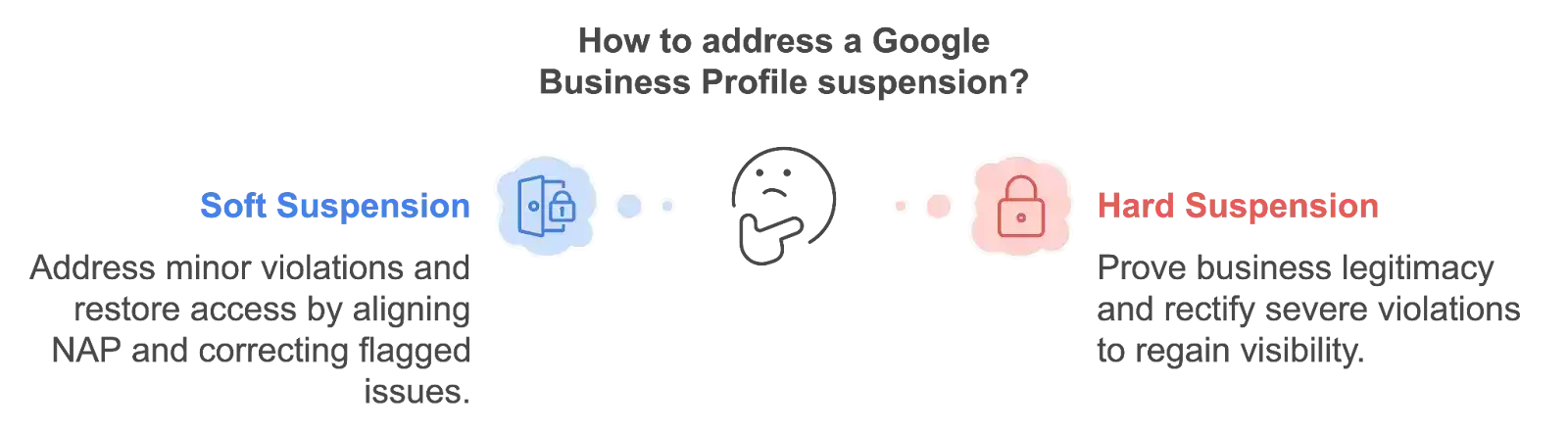
Suspensions are either soft, where the profile is still visible but the owner loses access, or hard, where the profile disappears entirely. While they can feel frustrating or even unfair, suspensions are Google’s way of keeping its platform trustworthy.
Types of GBP Suspensions
Soft Suspensions
In a soft suspension, the Google Business Profile (GBP) that has been put under suspension remains visible to the public, allowing customers to find the business in search results and on Google Maps. However, the owner or manager loses administrative access to the profile. This type of suspension often arises from minor violations, such as discrepancies in the business name or unauthorized changes. While not as severe as a hard suspension, it still restricts the business owner’s ability to update or manage the profile.
How to fix a soft suspension
- Make sure the name, address, and phone number (NAP) on your Google profile match exactly with what’s on your website and other platforms (like social media or directories).
- Look for issues flagged by Google, like wrong categories or incorrect edits. Update anything inaccurate or out of place.
- Go to Google’s support page and explain what you fixed. Attach proof of your business, like a utility bill or lease, to show you’re legit.
If you follow these basic steps, your profile should be out of suspension soon.
Hard Suspension
A hard suspension is far more serious, as the business profile is completely removed from Google Search and Maps. This means the business cannot be found by customers searching for it online, leading to a significant loss in visibility and revenue. Hard suspensions often result from severe violations, such as fraudulent activity, guideline breaches, or attempts to manipulate Google’s algorithms.
How to fix a hard suspension
- Look through your Google Business Profile (GBP) for anything that might break the rules such as wrong categories, fake reviews, or incorrect details.
- Collect documents that prove your business is real, like licenses, utility bills, or registration papers.
- Go to the Google Business Profile Help page and file a request to get your profile back. Explain what went wrong and share the documents you’ve gathered.
- If you’ve done things like fake reviews or used a virtual address, stop immediately and fix these issues so it doesn’t happen again.
Some Common Reasons for Your GBP Being Suspended
1. Violating Google’s guidelines
Google enforces strict policies to maintain the integrity of its platform. Violating these guidelines often results in suspension. Some common violations include:
- Adding irrelevant or excessive keywords to the business name to improve search rankings, e.g., “Joe’s Pizza Best Pizza in New York” instead of “Joe’s Pizza.”
- Selecting business categories that do not accurately describe the services offered by the business
- Listing service areas or locations where the business doesn’t operate.
To avoid these mishaps, make sure to regularly review Google’s guidelines and make use of accurate and correct information that reflects your core business areas.
2. Incomplete information does not look good
Google relies on accurate data to connect users with businesses. Even small errors in NAP details or discrepancies across platforms can raise red flags. These issues include listing an address or phone number that’s no longer valid, or having mismatched details between your GBP, website, or social media profiles.
Make it a habit to audit your business details regularly. Make use of tools like Synup to keep your listings consistent across platforms.
3. Duplicate Listings
Creating multiple GBPs for the same location might seem like a good idea to get more visibility, but Google sees it as spammy behavior and might penalize you for it. If you have any duplicate listings, merge them using Google’s support tools. Also, make sure that you stick to one well-managed profile for each business location.
4. Unauthorized Changes
Frequent edits, unverified user changes, or login attempts from random locations can trigger Google’s red flags. Limit access to your GBP to only trusted team members. Secure your account with strong passwords and enable two-factor authentication.
5. Use of Virtual Offices or PO Boxes
Google requires businesses to have a real, physical location. Using virtual offices, PO boxes, or coworking spaces without permanent staff can get your profile flagged or suspended. Use the address of a legitimate, staffed location where customers can reach you.
6. Review Manipulation
Buying fake reviews, swapping reviews with others, or offering rewards for reviews violates Google’s policies. Focus on getting organic and honest reviews from your actual customers. Make use of reputation management tools such as Synup that can help you stay on track with your reviews and respond to them regularly.
Impact of GBP Suspensions
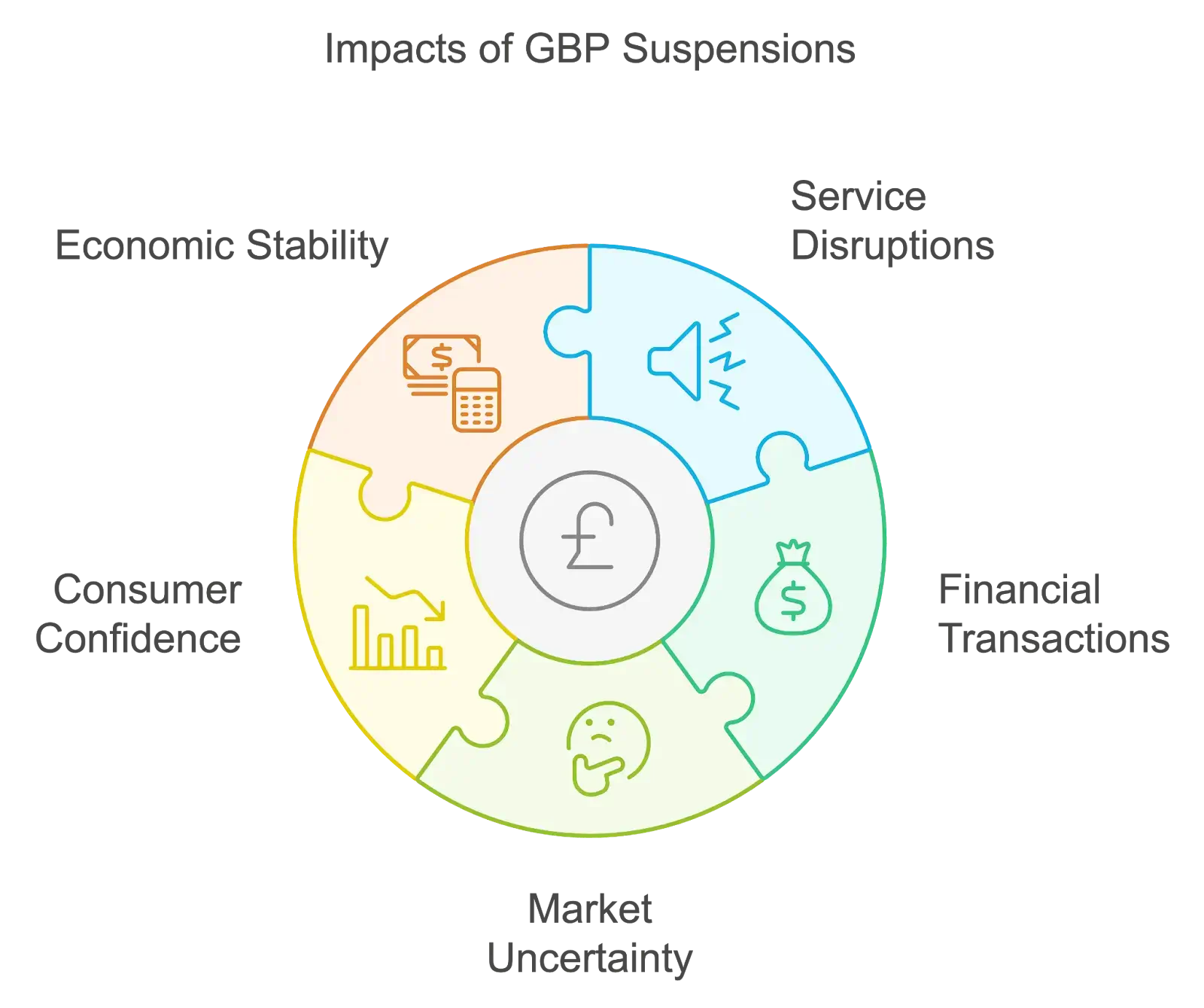
- Loss of Visibility — A suspended GBP removes the business from Google Maps and local search results, significantly reducing its visibility to potential customers.
- Customer Trust — A missing or unverified GBP can make customers question a business’s legitimacy.
- Revenue Loss — Without a GBP, local businesses lose vital leads from search traffic.
- Reputational Risk — Agencies managing multiple GBPs for clients face reputational risks when suspensions occur.
- Confused Customers — Customers can’t find key details like your hours or contact information without an active profile.
- Recovery takes time — Getting your GBP back online isn’t instant. You have to follow Google’s reinstatement process, which can take time.
Recovering Your Google Business Profile
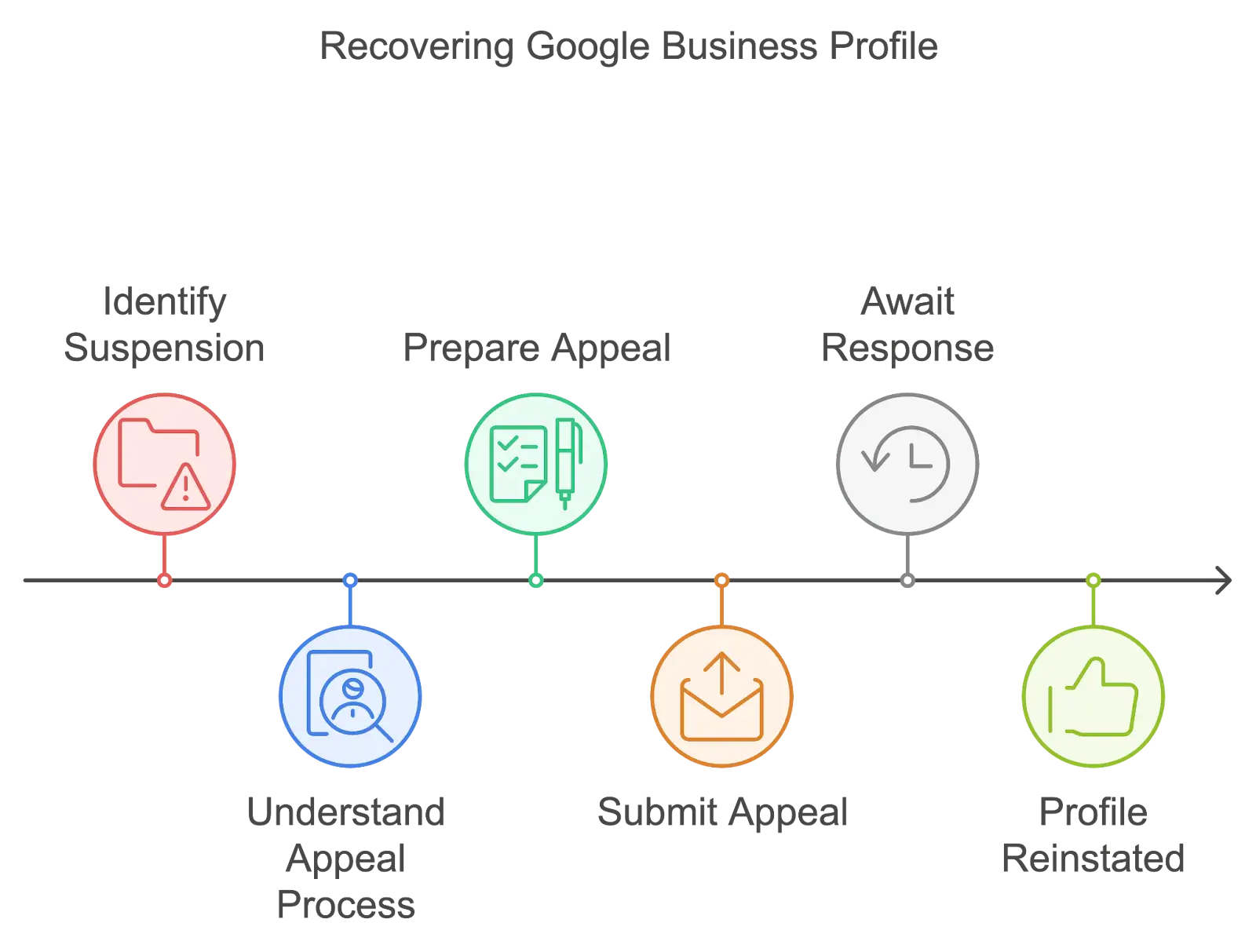
1. Know Why Your GBP Was Suspended
Before you can appeal the suspension, you must figure out why it happened. Google doesn’t always tell you exactly what went wrong. Common reasons include wrong or inconsistent business details, violating Google’s rules, misrepresenting your business, not completing the verification process properly, or fraudulent activity.
2. Review Google’s Guidelines
Your business name needs to be the real name of your business—no extra keywords or phrases. Your address must match the one where you actually do business. Make sure your business is listed under the most relevant categories. Don’t upload fake or irrelevant photos.
3. Fix Issues Before You Appeal
- Correct your business details: Double-check that your business name, address, phone number, and website URL are accurate and consistent across all platforms.
- Update your business category: Make sure your business is listed under the right category.
- Complete verification: If the suspension was due to verification issues, make sure to complete the verification process.
- Review your photos and other content: Remove any photos or content that violate Google’s rules.
- Be honest: If you’ve made a mistake or violated a rule, fix it and explain in your appeal that you’ve taken care of it.
4. Submit an Appeal for GBP Suspension
Step 1: Log into Google My Business and sign in to the account tied to your suspended profile.
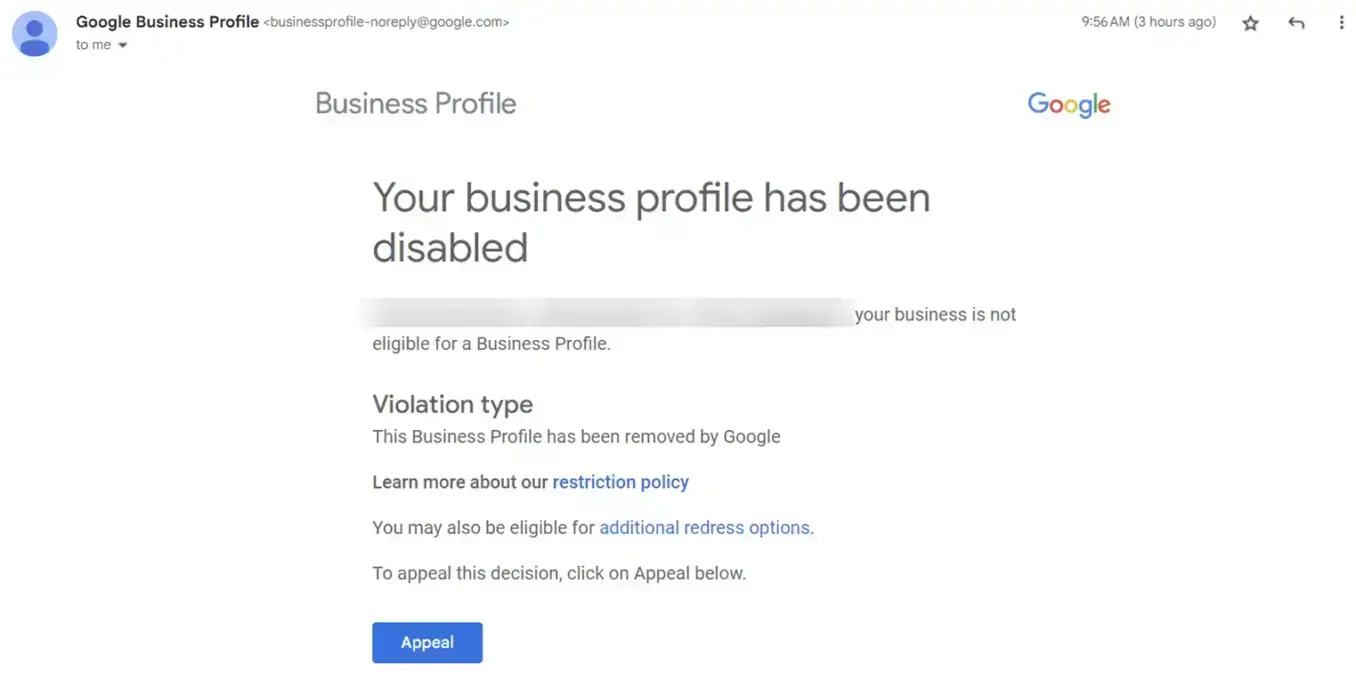
Step 2: Find your suspended profile. If your profile is suspended, you should see a message about the suspension.
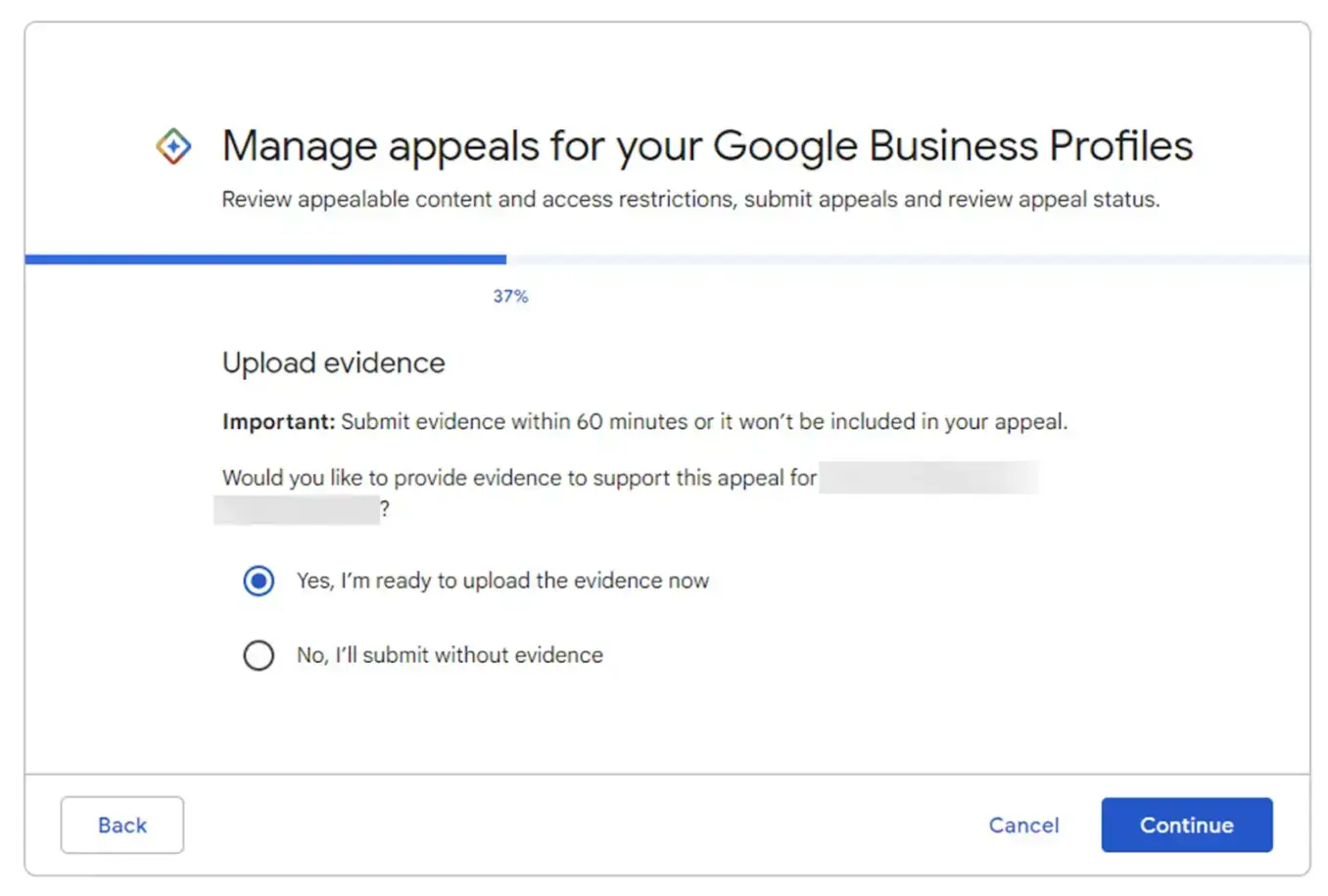
Step 3: Choose the right appeal option—request a review or fill out a form with more details about your business and the issue.
Step 4: Provide supporting info. If you’ve made updates to your profile, mention it in your appeal and attach any necessary documents.
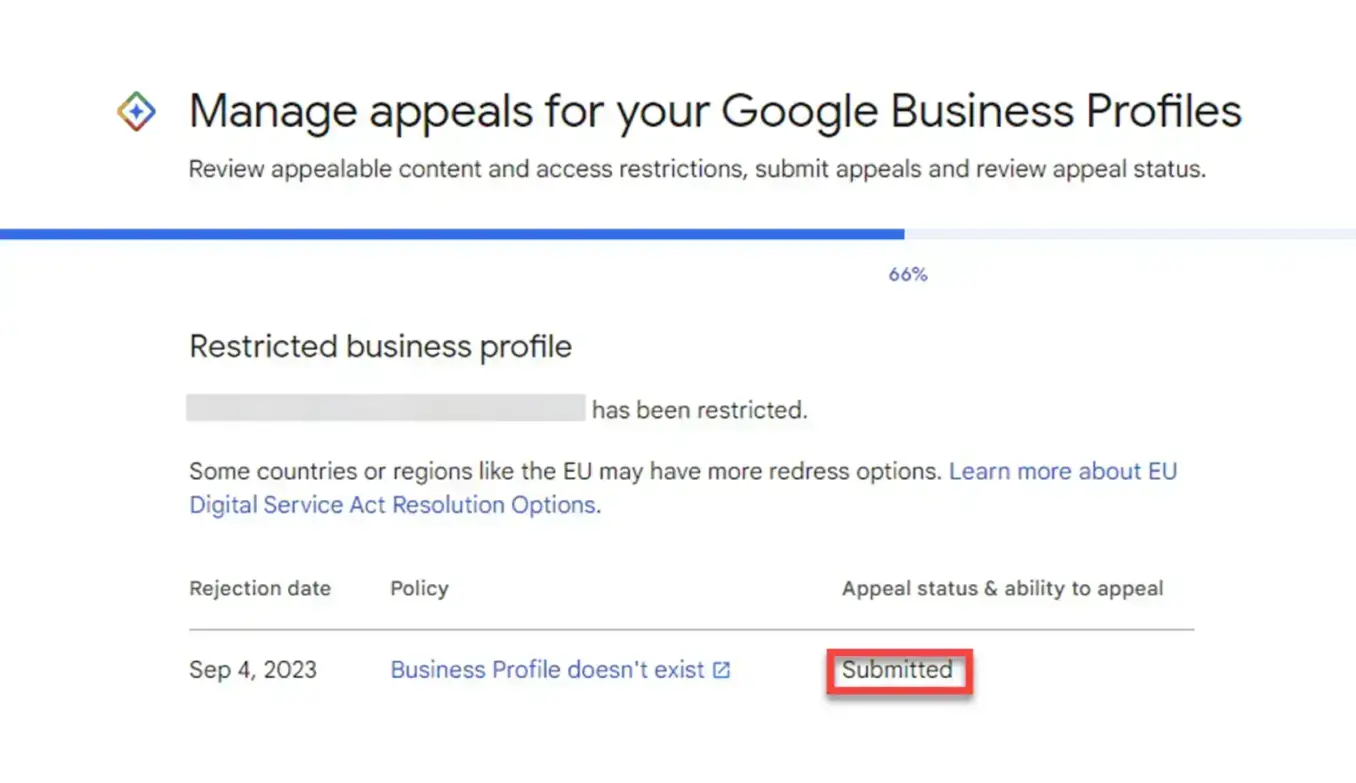
Step 5: Wait for Google’s response. It might take a few days or even weeks for Google to get back to you. Avoid submitting multiple appeals, as this can slow down the process.
Things to Do When Your Appeal Is Denied
- Read the rejection message: Google usually provides some explanation for the rejection.
- Fix any remaining issues: If there’s something else that needs fixing, go ahead and update it, then submit a new appeal.
- Reach out to Google Support: If you’re still not sure why your appeal was denied, contact Google Support for more guidance.
Once your profile is reinstated, take steps to prevent future suspensions: regularly check your business details, stay informed about the latest Google Business Profile rules, and investigate any weird changes to your profile right away.
In Conclusion
Handling Google Business Profile suspensions might seem like a hassle, but once you know the type of suspension and what caused it, fixing it becomes a lot more manageable. Whether it’s a soft suspension that locks you out or a hard suspension that takes your profile offline, the goal is simple: identify the problem, fix it, and stay within Google’s rules.
Keep your business info accurate, avoid mistakes like fake reviews or duplicate listings, and tackle issues quickly to safeguard both visibility and trust. At the end of the day, your Google Business Profile is more than just a tool—it’s how people find and trust your business.
FAQs
How do I fix my suspended Google Business Profile?
Start by identifying the reason for suspension, check your email or Google’s guidelines. Then, address the issue (like updating inaccurate details or verifying ownership) and submit a reinstatement request through the Business Profile Manager.
Why does Google keep suspending my business account?
Google might suspend your account if there’s a violation of its guidelines, like inaccurate info, prohibited content, or suspicious activity. Sometimes, even technical issues or multiple accounts for the same business can trigger it.
How long does it take to unsuspend a Google Business account?
It typically takes 3–7 business days after submitting the reinstatement request. However, the timeline can vary based on the complexity of your case and Google’s review process.